
Release history
Every release of ORGanizer for Salesforce, newest first. The current documentation lives in the docs.
1.0 — out of beta current
Release date: to be set
ORGanizer for Salesforce leaves beta. After nine years of 0.x releases this is the first stable version: the BETA badge in the popup becomes FREE, and the feature set below is what 1.0 ships with.
New
- Health Monitor — an ORG health dashboard: 17 sections across 9 tabs, a composite Health Score, a Live Monitor for governor limits over time, a published methodology, and printable / ZIP reports.
- Access Lens — effective permission analysis per user with per-permission source tracking, elevated-access detection, side-by-side comparison of profiles and permission sets, and CSV / JSON export.
- Field History Helper 2.0 — rebuilt around aggregate queries and the object's own history table: exact coverage and distinct-value counts over the whole object instead of a 1,000-record sample, change activity over the last 30 / 90 / 365 days, a tracking slot meter, search, filters, and a sortable results table that never reorders the Salesforce page. No record is downloaded, and a field the ORG refuses no longer takes the whole analysis down with it.
- Quick Console in a dedicated tab, reachable from the console header and from the popup's ORGs tab.
- Field Usage — a new Quick Console plugin: pick an object and see, field by field, how many records carry a value and what share of the object that is, so the fields nobody fills in stand out before a clean-up or a migration.
- V.I.Q. and V.I.S. reworked — a new UX for Very Important Queries and Very Important Scripts: saving, finding and reusing a stored query or script is quicker to get at from the console.
- Per-ORG domain permissions — no Salesforce access is granted at install; ORGanizer requests one ORG's domains at a time, and they can be reviewed and revoked in Options → Permissions.
- Rebuilt encryption — PBKDF2-SHA256 (600,000 iterations) and AES-GCM 256-bit through the Web Crypto API, a one-way password verifier, and a derived key held only in the background worker's memory. A guided migration page upgrades an existing vault.
- Firefox support — one package now runs on Chrome, Edge and Firefox.
- Quick Links rebuilt — one synced list configured in Options, with links that are either global or scoped to specific ORGs, a filter and bulk delete. Existing per-ORG links migrate automatically.
- ORG configurations moved to Options — editable with or without a live session, with bulk delete. The popup's ORGs tab became a switcher with six actions per live ORG.
- Copy credentials dialog in the popup: username, password and token, each with its own copy button.
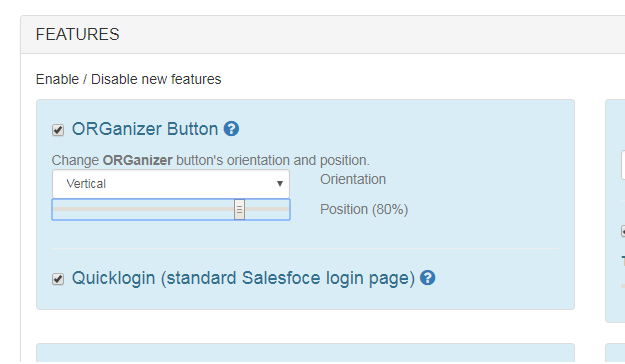
- ORGanizer button docks to any of the four page edges and can be dragged along that edge.
- Quick Login now works on username-only Salesforce login pages, and on Salesforce's new email-based login flow (
welcome.salesforce.com): the login picker on the email screen, the right environment opened out of the switcher, and the password filled in on the third. Logins carrying a Login email are the ones offered there. - Default Salesforce API version raised from 50.0 to 67.0, and negotiated with the ORG rather than assumed.
- Options page restyle: grouped two-column Features and Shortcuts tabs, dark-mode form controls, library-free quota gauges.
Retired
- Google Drive backup, its background job, its Options sub-panel and the Google OAuth machinery behind it.
- ORGanizer Connector integration — the Connector tab, panel and backup-key modal. The AppExchange app itself is unaffected.
- Salesforce News tab in the popup.
- ORG links page and the
@helpQuick Links command. - Timed Password Sessions — superseded by the in-memory key.
- The separate Backup V.I.Q. & V.I.S. button (the regular export already carries them).
- The Chrome Web Store in-app payments library.
- The blinking change-log icon and the version tracking behind it.
- Permissions no longer requested:
identity,identity.email,clipboardRead,clipboardWrite,unlimitedStorage, browsing history, and thegoogleapis.comhost.
0.9.53 Snow Man Release
2024-01-18
- Simplified license validation for PRO users: use your key and registered email to validate your license. No more Google nor Sync necessary. In the next release, each new client will be required to validate with an OTP sent to your licensed email and eash license type will have its limited count of licensed clients (that you'll be able to enable and/or disable at your will).
Options page
- Sort Configured Org by Last Update
Popup page
- API Call Details: download the details of all API calls made from the last API counter reset, detailing orgid/timestamp/#call
Options page
- Popup and Options page performance enhancements with a strong caching
Popup page;Options page
- Login As plugin: logout from "login as" session now correctly redirects to lightning page.
Plugins
- Quick Links: few fixes on link generation
Plugins
- Connector: fix on connection setup
Options page
- Formula Helper: fix on "funky" UI that prevents for correct line/column selection
Plugins
0.9.50 Summer '23 Release
2023-07-19
- Google Drive Backup integration
Requested by you
Options page;Data storage
- Import/ Export and Sync Very Important Queries (VIQs) and Scripts (VISs)
Requested by you
Options page;Data storage
- Manifest v3 support (see https://developer.chrome.com/docs/extensions/mv3/intro/mv3-migration/)
Popup page;Options page;Data storage;Plugins
- Logins can be deleted from the Logins list without entering login details
Requested by you
Popup page
- QuickLinks: search Flows on @meta search
Requested by you
Plugins
- Google Analytics is no longer used to track anonymously user behavior
Popup page;Plugins
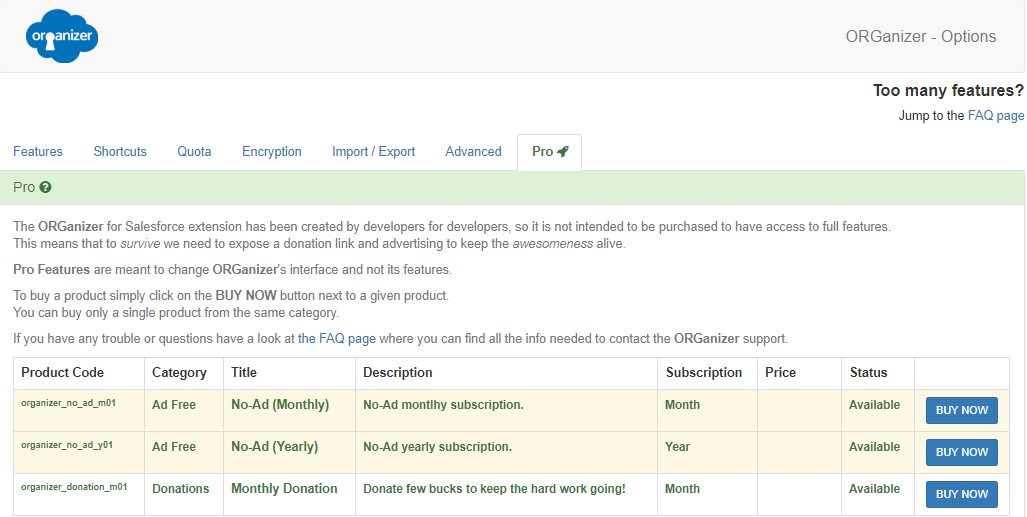
- Whitelist All IPs plugin: disabled by default, it can be enabled from the "Options | Features" page
Plugins
- Change Set Helper: ChangeSet title is correctly handles even with special characters
Requested by you
Plugins
0.9.0 Pengiun Release
2021-02-24
- Beta support for Brave, Firefox and Opera licnsing
Requested by you
Options page
- Available support for bulk licensing model.
Options page
- New permissions requirement: new "organizer.solutions" and "api.organizer.solutions" in place of "*.enree.co" domains.
"*.googleapis.com" is required for Firefox/Opera/Brave use identification for support of the licensing model cross browser.
"*.cloudforce.com" for support to Salesforce's cloudforce domain
Options page
- ORGs are now identified by Org Id or custom MyDomain, so a sandbox refresh won't need a new org configuration
Requested by you
Popup page
- New highlight mode of current org configuration
Requested by you
Plugins
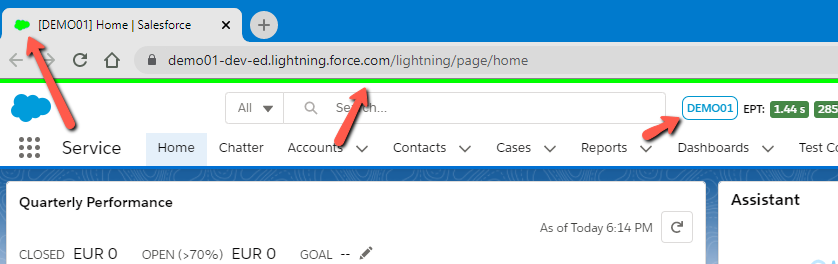
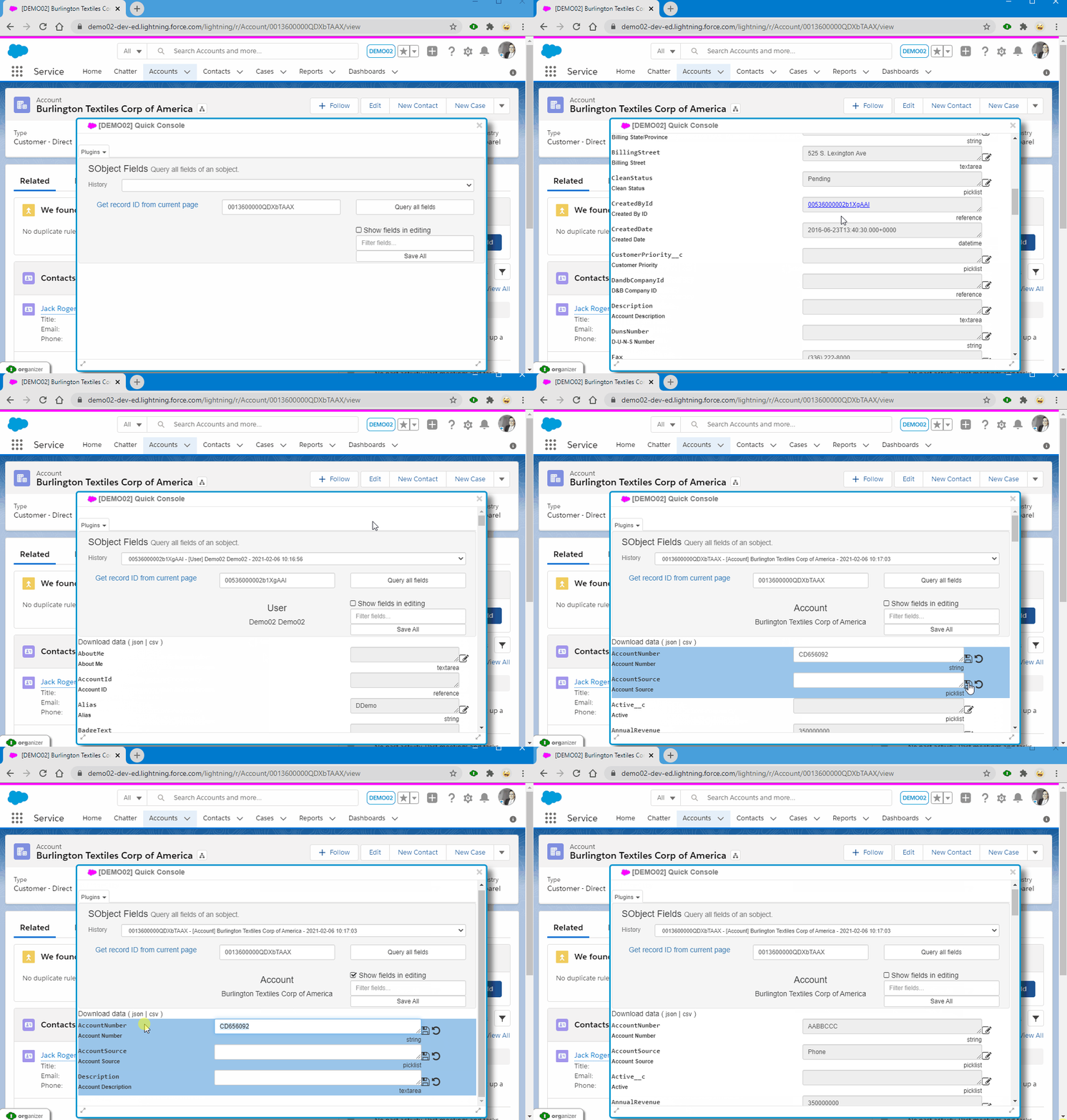
- SObject Fields plugin: support for history, lookup automatic query and Save All changes capability
Requested by you
Plugins
- Quicklinks: save last quicklink command across tab loads
Plugins
- Removed "Sforce-Auto-Assign" header on update REST calls on the Field Update plugin (so update on single fields for Cases and Leads won't trigger anymore assignment rules)
Requested by you
Plugins
- History Tracking Helper: Fixed error querying over Person Account fields
Plugins
- Replace API Names; now the plugin works correctly in LEX and Classic
Requested by you
Plugins
- Fixed conflict of ORGanizer for Salesforce with Classic Permission Set page on save of System Permissions
Requested by you
Plugins
- Fixed UI colors with Dark Mode on Quick Console
Plugins
- Fix on checkbox utility not showing on Permission Set's FLS configuration
Requested by you
Plugins
0.8.0.0 Kitten Release
- Gumroad payment system support due to Google Web Store payments retirement
Options page
0.7.1.0 Happy 2021
2021-01-04
- Options Page's API Level input text is now a dynamic text box with typeahead capabilities
Requested by you
Options page
0.7.0.0 Seagull Release
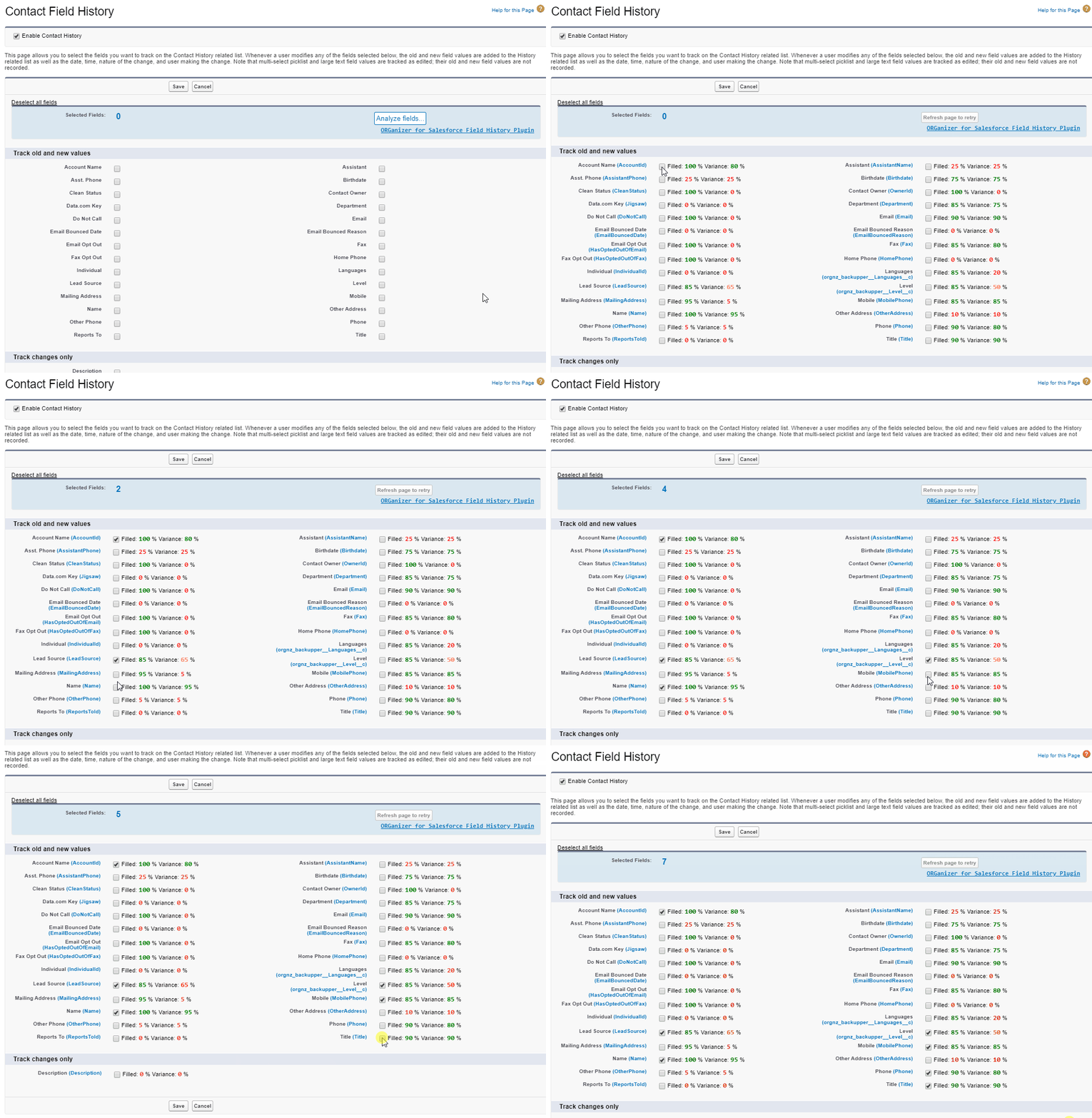
- Field History Helper: count the number of fields selected on the Field History page
Requested by you
Plugins
- New limits enforced for non PRO users:
- Max total logins: 40
- Max sync logins: 30
Popup page;Options page;Data storage
- Show "Execute" button on Quick Query and Execute Anonymous plugins when toolbar is minimized
Requested by you
Plugins
- Removed "Games" Quick Console plugin to enhance extension performance
Requested by you
Plugins
- Fixed diverse CORS request issues (e.g. Test coverage download, ChangeSet 's package download)
Requested by you
Plugins
- Deleting a login will no longer asks for a subsequent deletion
Requested by you
Popup page
- Fixed invalid encoding on Execute Anonymous (%20 escape char)
Requested by you
Plugins
- Licensed Quota checks are no longer blocking when applying a promo code
Requested by you
Options page
- ORGanizer button and Quick Console are now hidden when printing a Salesforce tab
Requested by you
Plugins
- Few UI fixes (scrollbars on popup page and print safe ORGanizer button)
Popup page
- CSV files are now properly download with .csv extension (e.g. ChangeSet Helper templates, query results, descrube results, ...)
Requested by you
Plugins
- When downgrading license limits (gradually release after release) you are now enabled to update already saved logins
Requested by you
Popup page
0.6.9.0 Crow Release
2019-06-23
- Dark Mode: the ORGanizer is now available in Dark Mode! Rest your eyes with new dark theme!
Requested by you
Popup page;Options page;Plugins
- Enhanced stability and responsivity of popup page.
Popup page
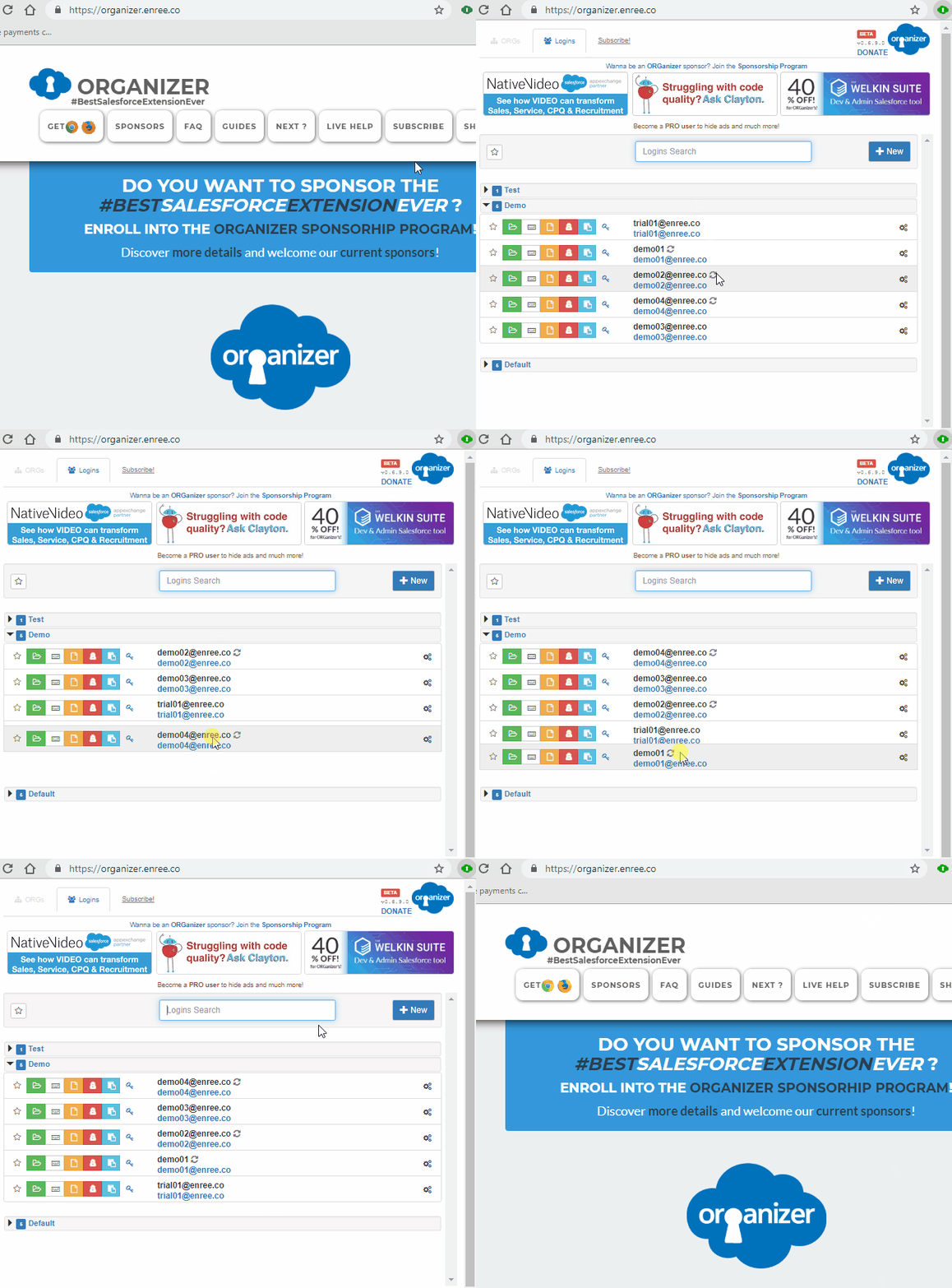
- Logins list: accounts are sortable within a group
Requested by you
Popup page
- A loading modal is shown when logging in with OAuth or Token
Popup page
- Automatic backup export fix: passwords are no long obfuscated when a backup is downloaded
Requested by you
Options page
- QuickLogin now correctly consider PRO limits
Requested by you
Plugins
- When dealing with OAuth or Token logins, the "password+token" and "login url" button on the popup page now correctly behave as expected
Requested by you
Popup page
0.6.8.4 Giraffe Release
2019-03-14
- Promo codes: you can purchase promo codes for PRO features (usefull for company licensing).
Jump to the PRO tab on the Options page to insert a purchased promo code.Options page
- When uploading a new managed packaged an alert asks for confirmation if a "beta" release has been chosen.
Plugins
- "Login As" plugin: focus on search input on plugin open
Requested by you
Plugins
- New permissions required for the following Salesforce domains:
- - visualforce.com
- - documentforce.com
- - salesforce-communities.com
Plugins
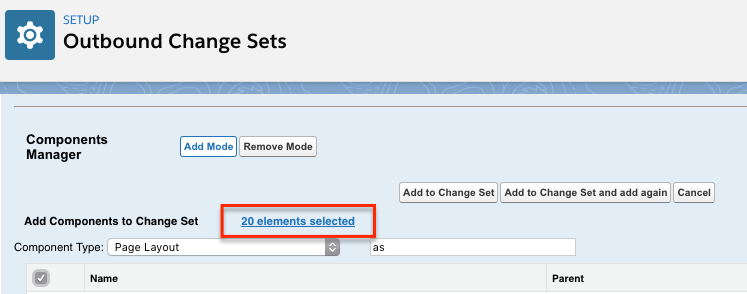
- "ChangeSet Helper": selected items to add in the CS are properly highligthed
Requested by you
Plugins
- Added "Identity.Email" required permission: this has been introduced to allow for unique user identification among all ORGanizer installations. This is required for future intrduction of promo codes for the PRO version.
Popup page;Options page;Plugins
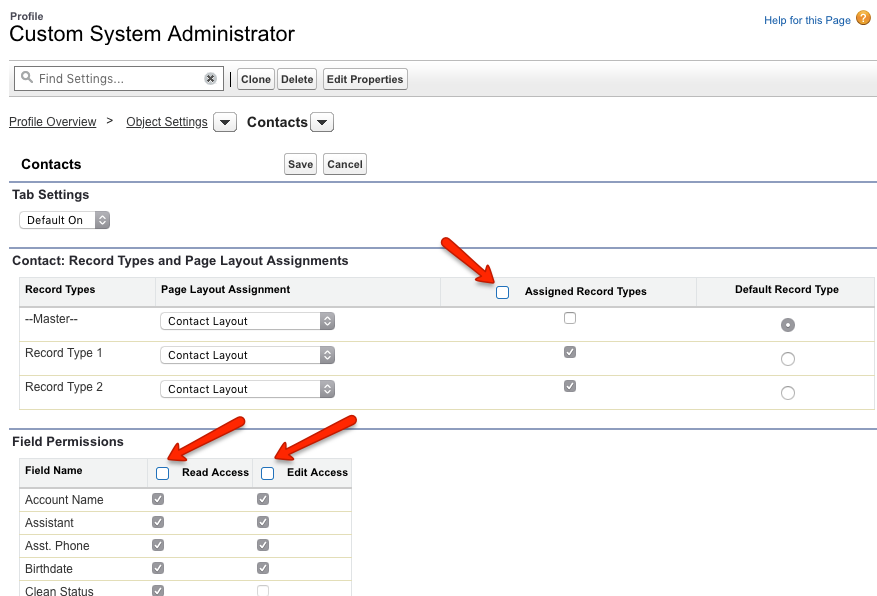
- "Select All" checkboxes for Record Type assignment and FLS on advanced profile view editing
Requested by you
Plugins
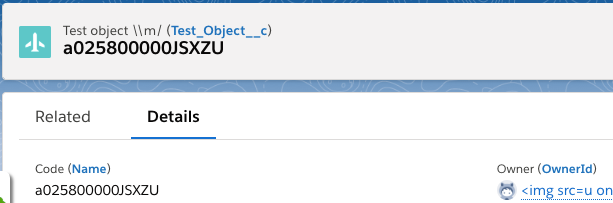
- "Replace API Names" plugin: show the Sobject API name
Requested by you
Plugins
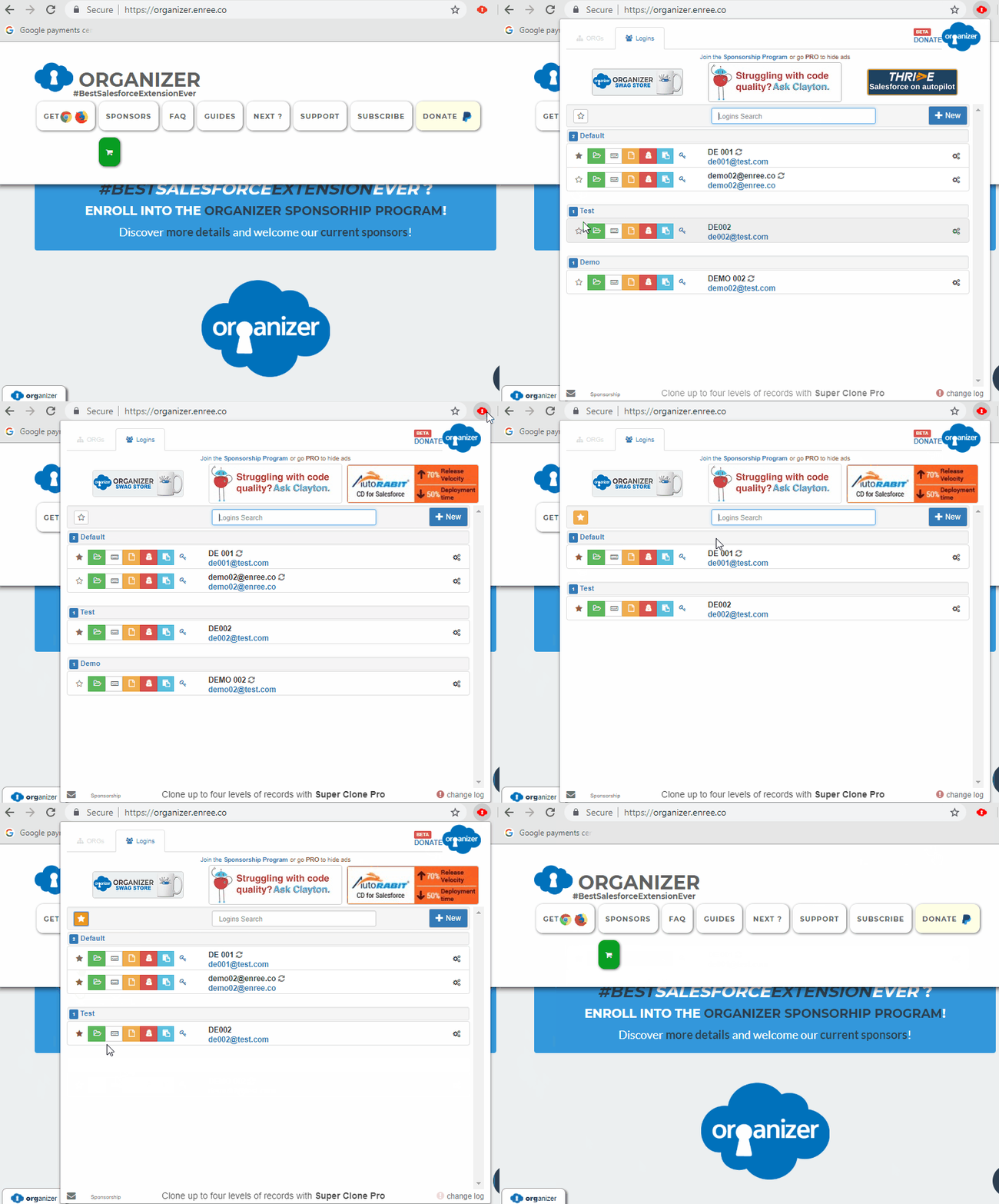
- Logins panel: hit "Enter" on the quick search field to open the first login of the list
Requested by you
Popup page
- CORB fix: Chrome 73.0.3683.75 brings a new security patch that enforces CORB (Cross-Origin Read Block) that prevents QuickConsole and QuickLinks to call Salesforce APIs.
Requested by you
Plugins
- "Replace API Names" plugin: several fixes and enhancements for Classic replacement.
Requested by you
Plugins
- "Profiles Chamber": deploy in production Org enabled.
Plugins
- QuickLinks: pressing "Enter" after a quicklinks search now correctly get the first element
Requested by you
Plugins
- ORGanizer button doesn't conflict anymore with Lightning Console sidebar
Requested by you
Plugins
- "Change Set Helper": several fixes on
- - "Select All" when search filter is applied
- - Improvement of the "Remove" link behavior in LEX
- - Problems on not recognizing items as already selected
Plugins
0.6.8.0 Reindeer Release
2018-12-19
- Profile chamber: profile plugin. First release allows to set login hours to all your profiles.
Requested by you
Plugins
- Pro licenses will get higher limits for saved logins
Popup page
- Replace API Names: various bug fixes to enhance API name replacement in Classic and LEX (e.g. now fields with duplicate labels are treated correctly)
Requested by you
Plugins;Plugins - Replace API Names
- Fiex bug on storage calculation.
Requested by you
Popup page
- Fix on Quick Login auto save on Salesforce login page
Plugins
- Change Set Helper: fixed bug on package download with special chars on package name.
Requested by you
Plugins
0.6.7.55 Hummingbird Release
2018-11-04
- Starred logins: you can now sign a login as favorite and filter all your starred logins.
Requested by you
Popup page
- Password encryption bugfix: some users experienced corrupted passwords for not synced logins. This fix should finally solve the issue (you need to update the corrupted passwords after the installation of this version)
Requested by you
Popup page
0.6.7.50 Jellyfish Release
2018-10-14
- QuickLinks: added new custom "orgs-wide" quicklinks for lightning development: "Aura Documentation" - "/auradocs " and ""Component Library" - "/docs/component-library"
Plugins
- QuickLinks: now you can open a quick link on another tab by using your mouse central button
Requested by you
Plugins
- Define the "Lightning Experience" landing page on the logins editor
Requested by you
Popup page

- SObject Fields plugin: added link to get the current SObject ID from the page URL (useful in LEX where there is no refresh after tabs navigation)
Requested by you
Plugins
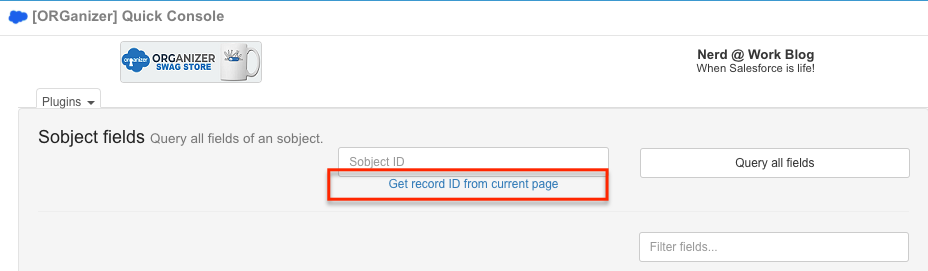
- Quicklinks: refreshed the list of setup links in LEX and Classic
Requested by you
Plugins
- QuickLinks: "metadata search" in LEX now correctly bring you to the correct metadata page.
Requested by you
Plugins
- Enhanced some general sync problems of logins.
Requested by you
Popup page
- "Replace API names" plugin: fixed some misbehavior in LEX (error in getting current object id)
Requested by you
Plugins
- QuickLinks: "objects" action in LEX now correctly bring you to the right setup object page.
Requested by you
Plugins
0.6.7.45 Starfish Release
2018-08-12
- Go Pro: remove all banners going Pro
Requested by you
Options page
- Login As plugin: login buttons have been moved on the left side of the users table, to enhance login actions access.
Requested by you
Plugins
- Quicklinks: links that involve the ORGID (such as classic company information) now works correctly
Requested by you
Plugins
- Oauth login: when the access token is expired, the first login of the day now works without errors.
Requested by you
Popup page
- Data export: fixed bug on data esporting (password without encryption is not correctly exported)
Requested by you
Options page
- AppExchange security review XSS fix
Requested by you
Plugins
0.6.7.20 Baby Sloth Release
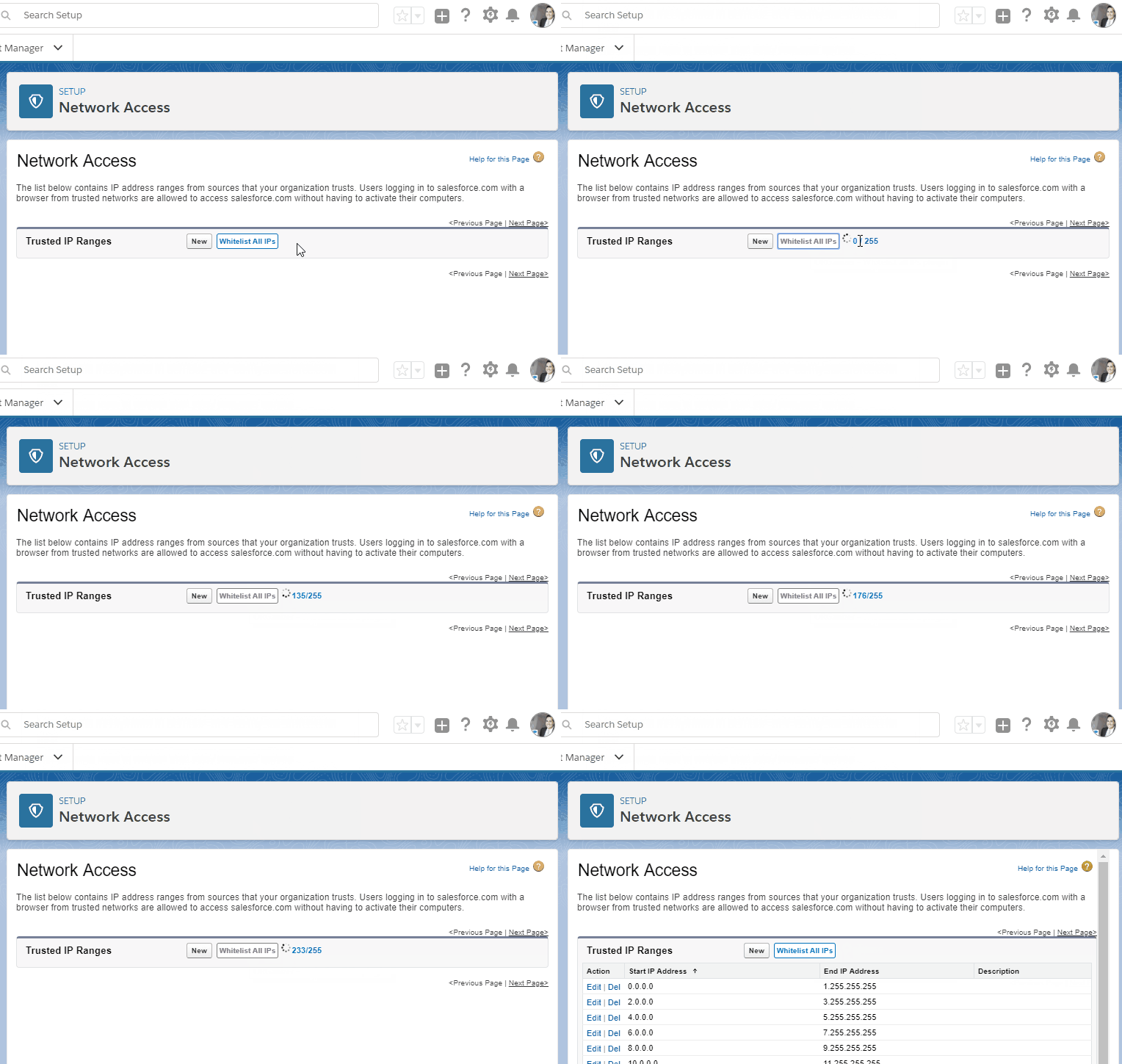
- Whitelist All IPs from Network Access setup page
Requested by you
Plugins
- OAuth access tokens are now revokable in the login editing panel.
Popup page
- Use Ctrl or Cmd keys to open a quicklink on another tab.
Requested by you
Plugins - Quicklinks
- ChangeSet Helper: enhanced performances on components quick filtering (with plugin enabled): filtering on hundreds of components is now way quicker!
Plugins
- Deleting a sync login now works without seeing it magically reappearing on another browser instance.
Requested by you
Popup page
- ChangeSet Helper: Apex Sharing Reason metadata component is now supported.
Requested by you
Plugins
0.6.7.10 Sloth Release
2018-06-17
- Quicklinks: added fuzzy search
Requested by you
Plugins - Quicklinks

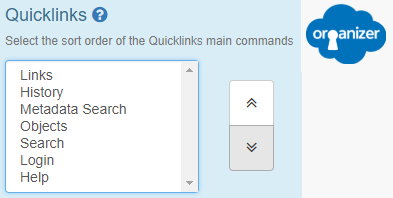
- Define your Quicklinks command order in the Options page.
Requested by you
Options page;Plugins - Quicklinks
- Convert SF ID: the plugin now supports bulk ID conversion
Requested by you
Plugins
- Login As: shows the User Id and Role on the search table
Requested by you
Plugins
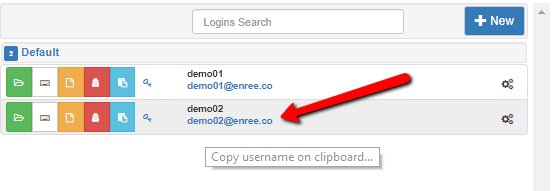
- Copy username to clipboard with one click
Popup page
- Quicklinks now work properly in LEX.
Requested by you
Plugins - Quicklinks
- Firefox fix: no more conflicts with ORGanizer and the Salesforce Developer Console.
Requested by you
Popup page
- AppExchange security enhancements: passwords are now obfuscated even when Encryption is not set.
Moreover few XSS JS fixes have been developed.
Requested by you
Popup page;Plugins
- Quicklink's Global Search now works properly in LEX.
Plugins - Quicklinks
0.6.7 Easter'18 release
2018-03-30
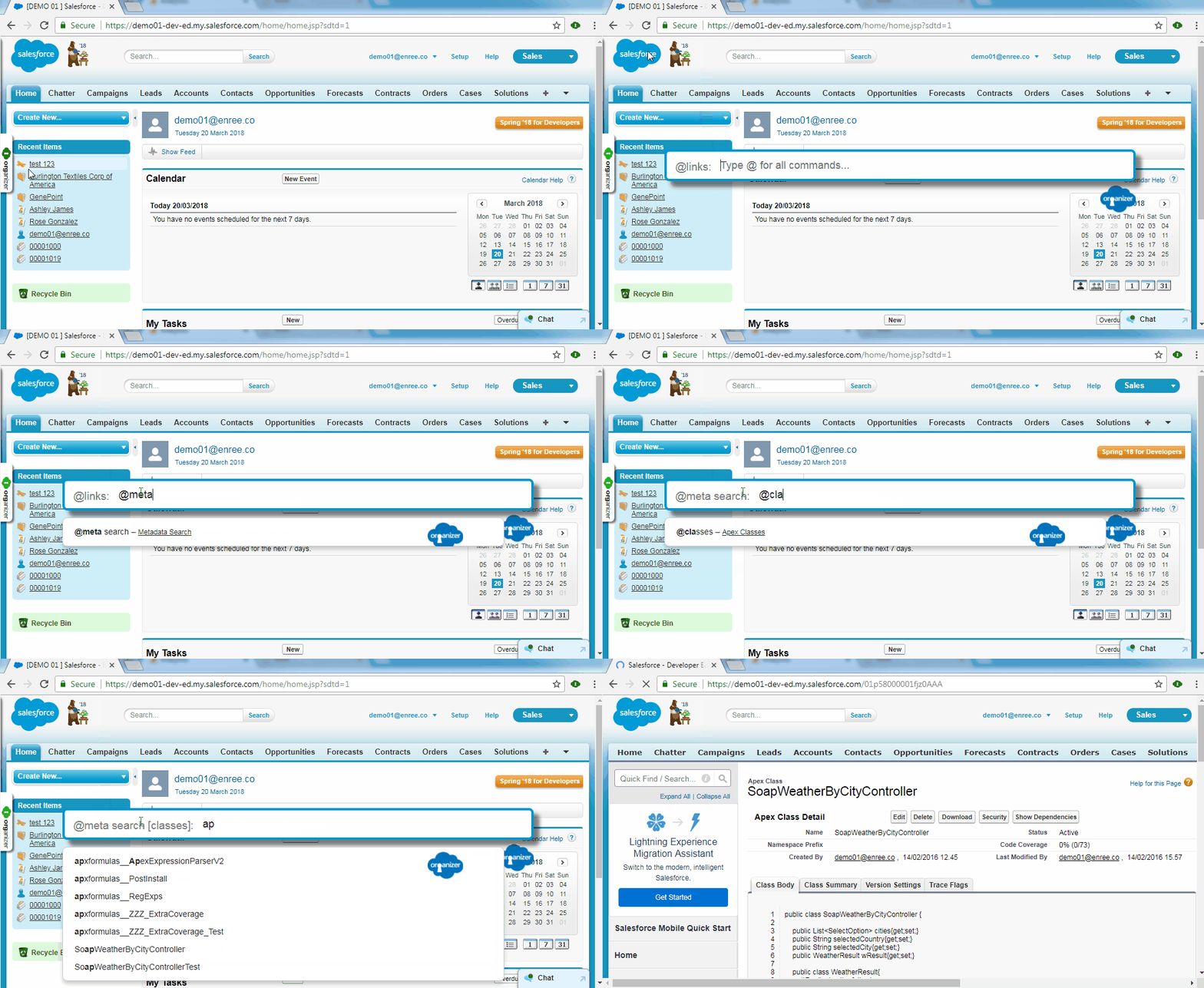
- Quicklinks plugin supports Metadata Search: search classes, triggers, custom labels, profiles and more from the quicklink page (Classic and LEX supported)
Requested by you
Plugins - Quicklinks
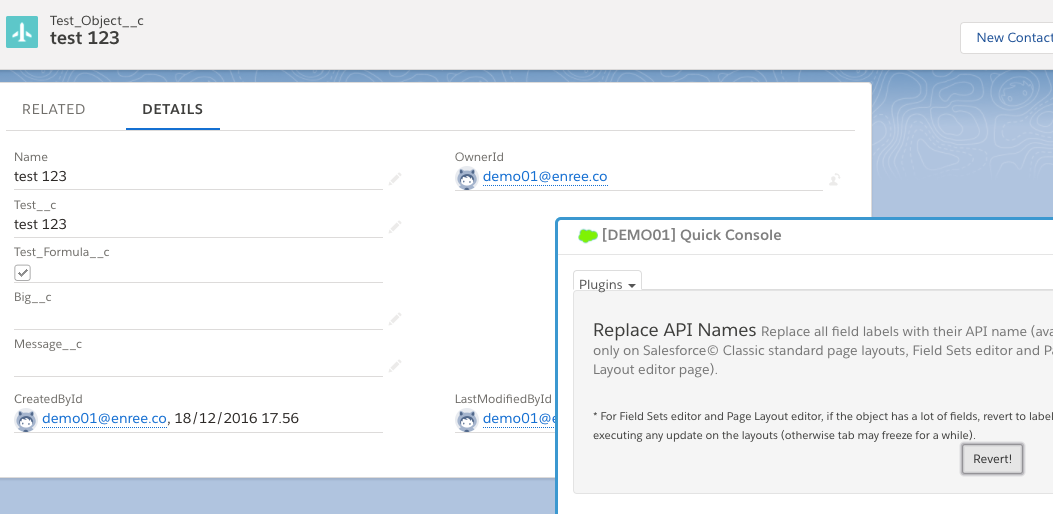
- Replace API names plugin is now LEX compliant!
Plugins - Replace API Names
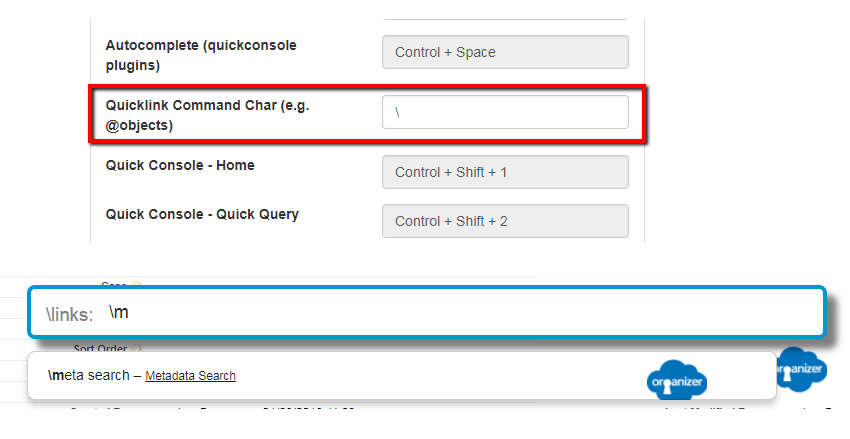
- Quicklinks plugin: change the "command" keyword (from "@" to wathever you want)
Requested by you
Plugins - Quicklinks
- Custom quicklinks should appear always at the top of the search list.
Requested by you
Plugins - Quicklinks
- Quicklinks: added few setup links and fixed the Schema Builder link on LEX
Requested by you
Plugins - Quicklinks
- Replace API Names: replace Object API name as well
Requested by you
Plugins - Replace API Names
- Sobject fields: load url ID when changing pages
Requested by you
Plugins - Sobject fields
- Firefox: download of backup file on options page and query results / describe results from quick console now works properly.
Requested by you
Options page;Plugins
- Popup page: "Error" popup showing after login attempt.
Requested by you
Popup page
- Quicklinks: @add command in LEX now gets the correct URL
Plugins - Quicklinks
0.6.6.6 Spring 18
2018-03-01
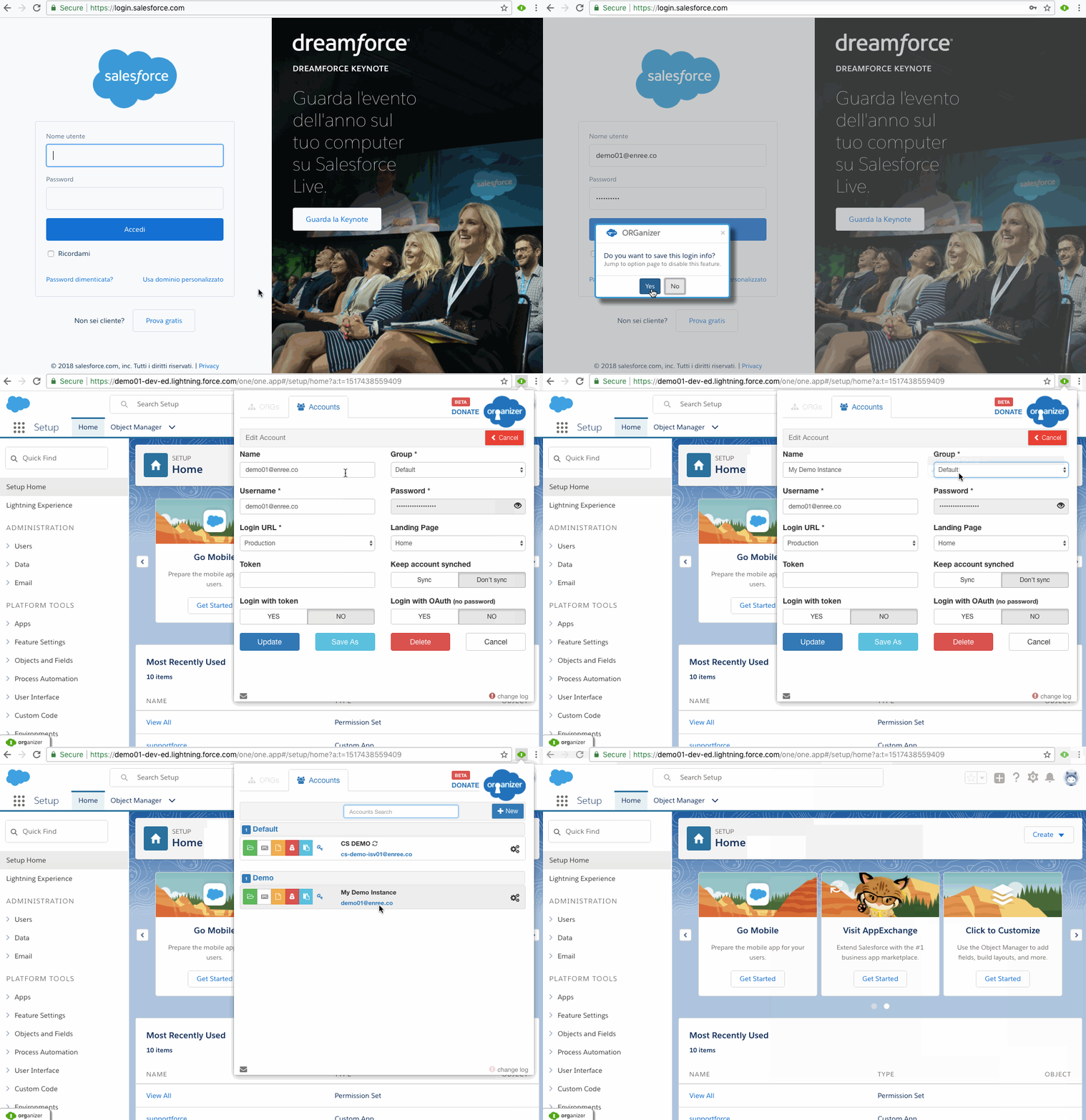
- Quick login: save login on the fly!
Requested by you
Plugins
- Javascript APIs: call main ORGanizer features from within your Visualforce page or Lightning components
Requested by you
Plugins
- Apex Code Coverage plugin let's you show covered/uncovered lines on the Class / Trigger page
Requested by you
Plugins

- Change Set Helper: Components management made easy. Select all components to be added in a changeset all together, without submitting for every component type (easy filter components)
Requested by you
Plugins
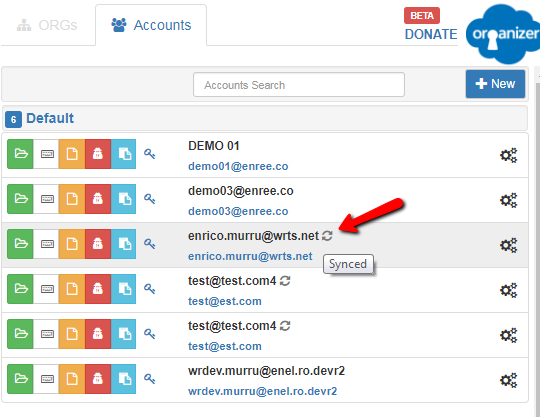
- "Synced" icon next to logins list
Popup page
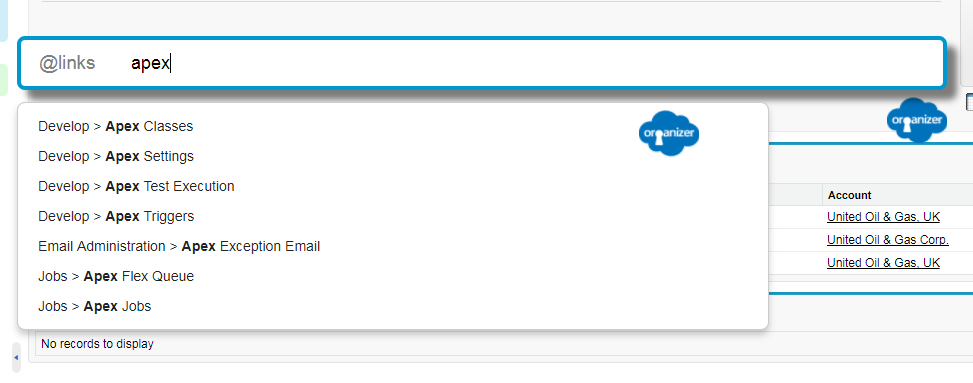
- Quick link setup enhancement: see all main setup links
Requested by you
Plugins - Quicklinks
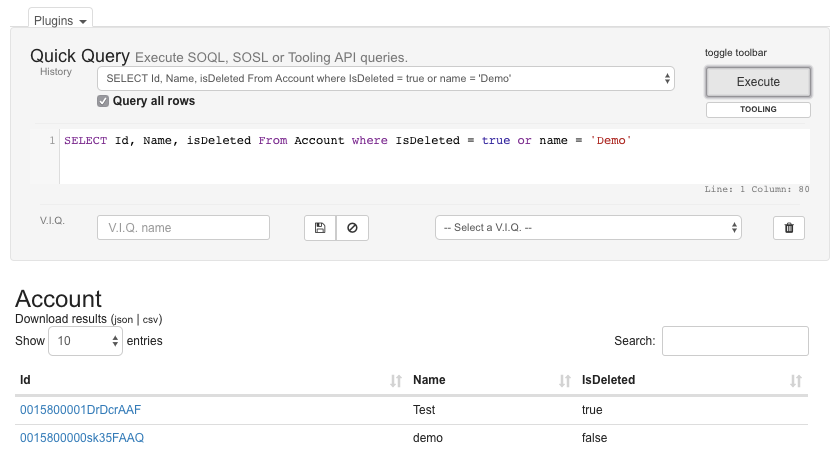
- Query plugin support query on All Rows (bin)
Requested by you
Plugins;Plugins - Quick Query
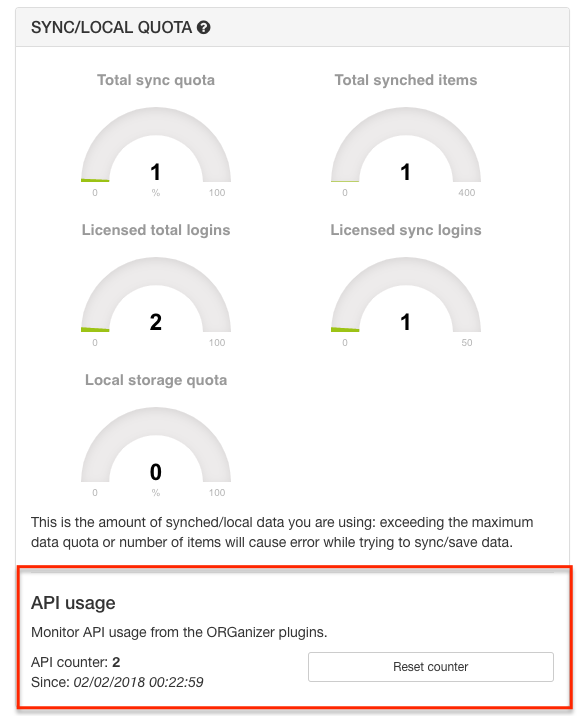
- Monitor API usage from Options page.
Options page
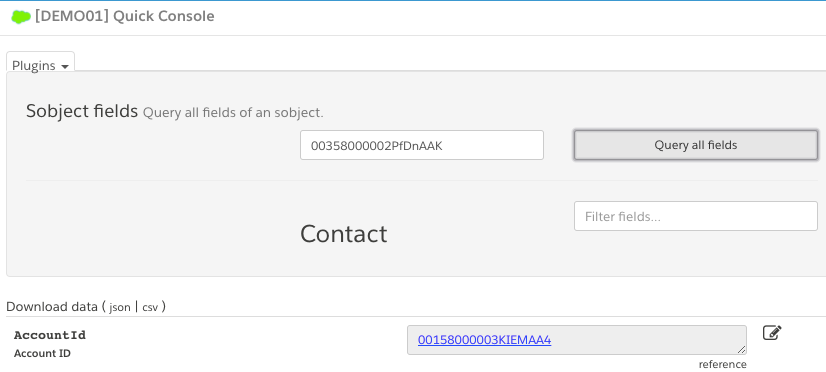
- Clickable links on reference fields for Sobject Fields plugin
Plugins;Plugins - Quick Query
- Background describe script optimization + reset background describes option
Requested by you
Options page;Plugins

- Resolved [QUERY_TOO_COMPLICATED] in Sobject Fields plugin when object has too many fields.
Requested by you
Plugins;Plugins - Quick Query
- Classic & LEX Cloud console resource optimization.
Requested by you
Plugins
0.6.5 Christmas Release
2017-12-24
- Firefox release is live!
Requested by you
Popup page;Plugins
- Added quick action on "Convert SF Id" quick console plugin (copy salesforce ID on clipboard)
Requested by you
Plugins;Plugins - Quick Console;Plugins - Convert SF Id
- Increased limits:
- Licensed total accounts: 200
- Licensed sync accounts: 150
Options page
- Customize Quick Console plugin shortcuts from Options page
Requested by you
Options page;Plugins
- Enhanced Formula plugin now correctly shows on LEX
Requested by you
Plugins;Plugins - Enhanced Formula
0.6.3.6 Pre Dreamforce 17 Release
2017-10-31
- Filter fields by value on "SObject fields" Plugin
Requested by you
Plugins;Plugins - Quick Console

- Enhanced "Quick Login" plugin on standard login page for Production URL and Sandbox URL if my domain url login is activated on ORGanizer account
Plugins
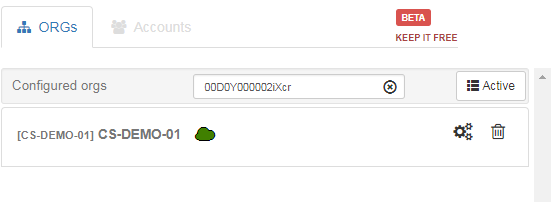
- Search ORGs by OrgId on popup
Requested by you
Popup page
- Fixed LEX setup interference with appexchange popup (https://twitter.com/dougdunfee/status/920709446422204416)
Requested by you
Plugins - Quick Console
- Fix on CSV export of describe data (no more misalligned columns when dealing with complex data such as picklist values)
Requested by you
Plugins;Plugins - Quick ORG Describe
0.6.3.0 1st Birthday Release
2017-09-25
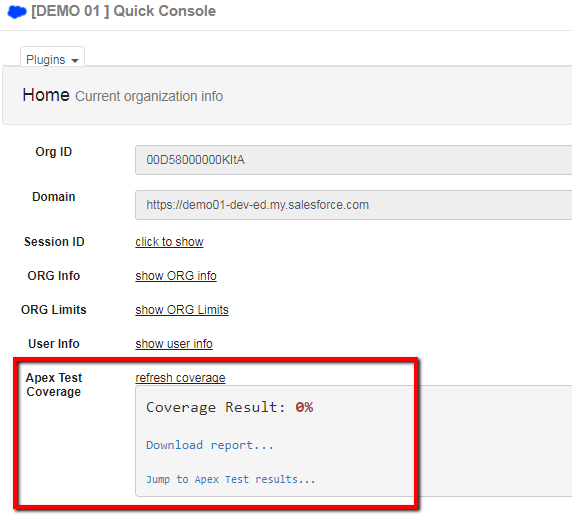
- Apex Test Coverage Discovery Plugin
Plugins - Home
- "Check All" checkbox in FLS profile selection and "Related List" layouts for new relation field
Requested by you
Plugins
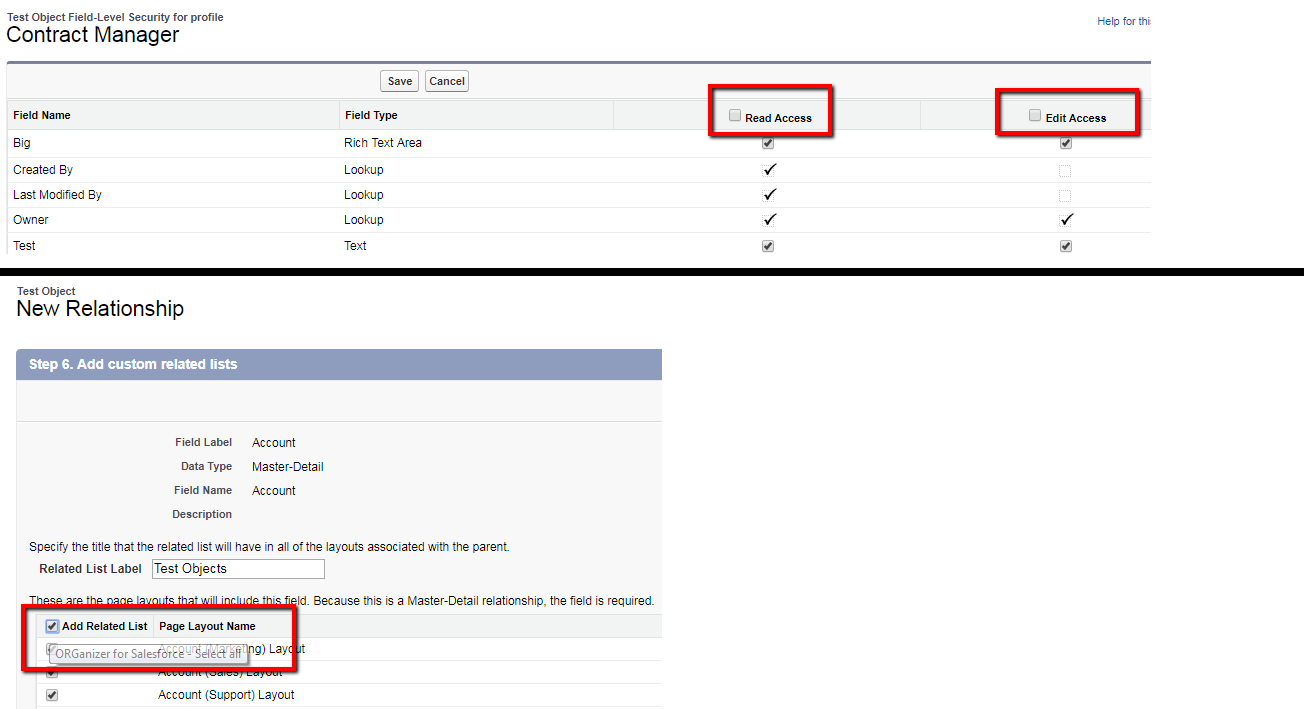
- When logging out after a "Login As...", if the "Force relogin after Login-As-User" setting is set to false in the CRM, the admin user is logged out. Fixed.
Requested by you
Plugins
0.6.2.1
2017-08-11
- Improved Google Analytics
Popup page;Options page
- Close Quick Console window by clicking the colored cloud icon
Plugins;Plugins - Quick Console
0.6.2.0 Birthday Release
2017-07-18
- Login As other users
Requested by you
Plugins
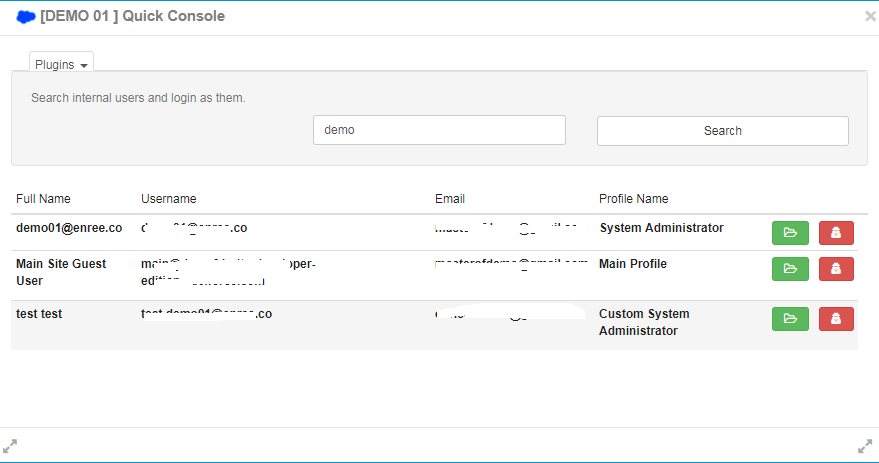
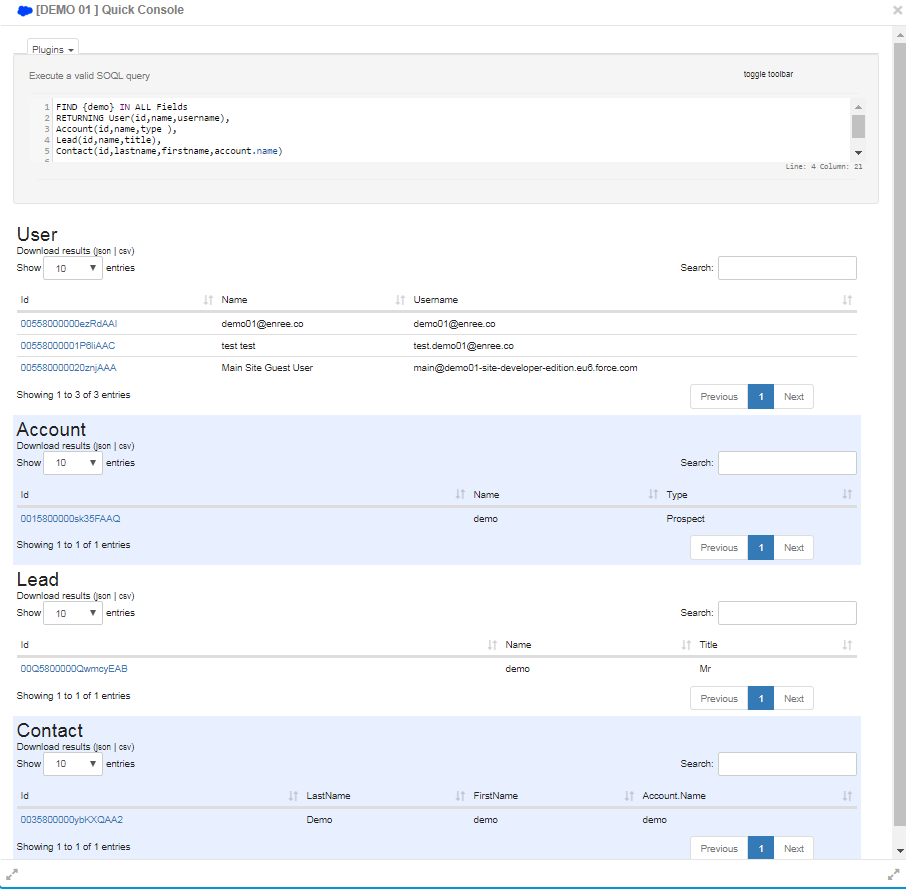
- Quick Query plugin now supports SOSL queries
Requested by you
Plugins;Plugins - Quick Query
- "Sobject fields" plugin has a quick action (CTRL+CMD + ALT + 4) to copy current url's ID into clipboard (works in Classic and LEX)
Requested by you
Plugins;Plugins - Sobject fields
- Change Salesforce API level
Requested by you
Options page

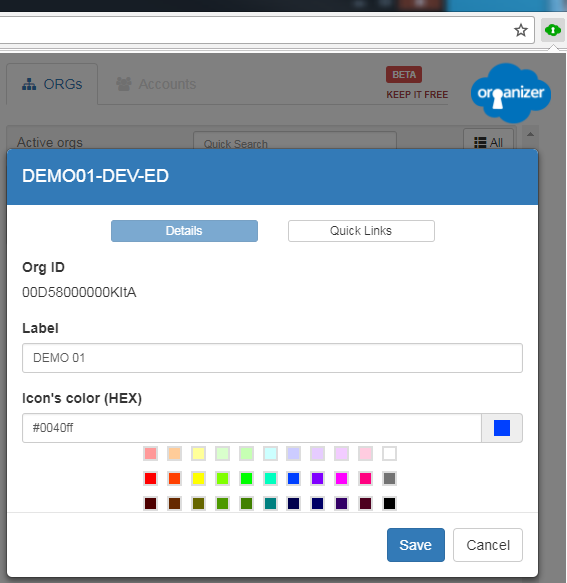
- New default colors for icon color selection
Requested by you
Popup page
- Change ORGanizer button position (both vertical/horizontal)
Requested by you
Plugins
- "Sobject Fields" plugin preset ID from url (e.g. /003XXXXXXX), from id parameters (e.g. /myPage?id=003XXXXX) or in Lightning format (#/sObject/003XXXX)
Requested by you
Plugins - Sobject fields
0.6.1.0
2017-07-10
- Full support for Quicklinks in Lightning Experience
Requested by you
Plugins - Quicklinks
0.6.0
- Changeset helper plugin makes you:
- Create changeset templates for recurring components
- Adding templates to change sets / packages
- Quick filter components in the components adding page
- Compare templates with changesets / packages
- Remove components from Changeset with automatic page selection
Plugins
- Login from standard Salesforce login page!
Requested by you
Plugins

- Enable Timed Password Sessions: ask for password whenever a timed session expires
Requested by you
Popup page;Options page;Plugins;Plugins - Quicklinks

- Added popup button to get password+token
Requested by you
Popup page
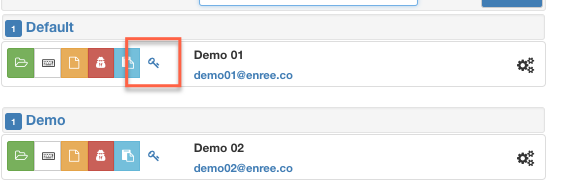
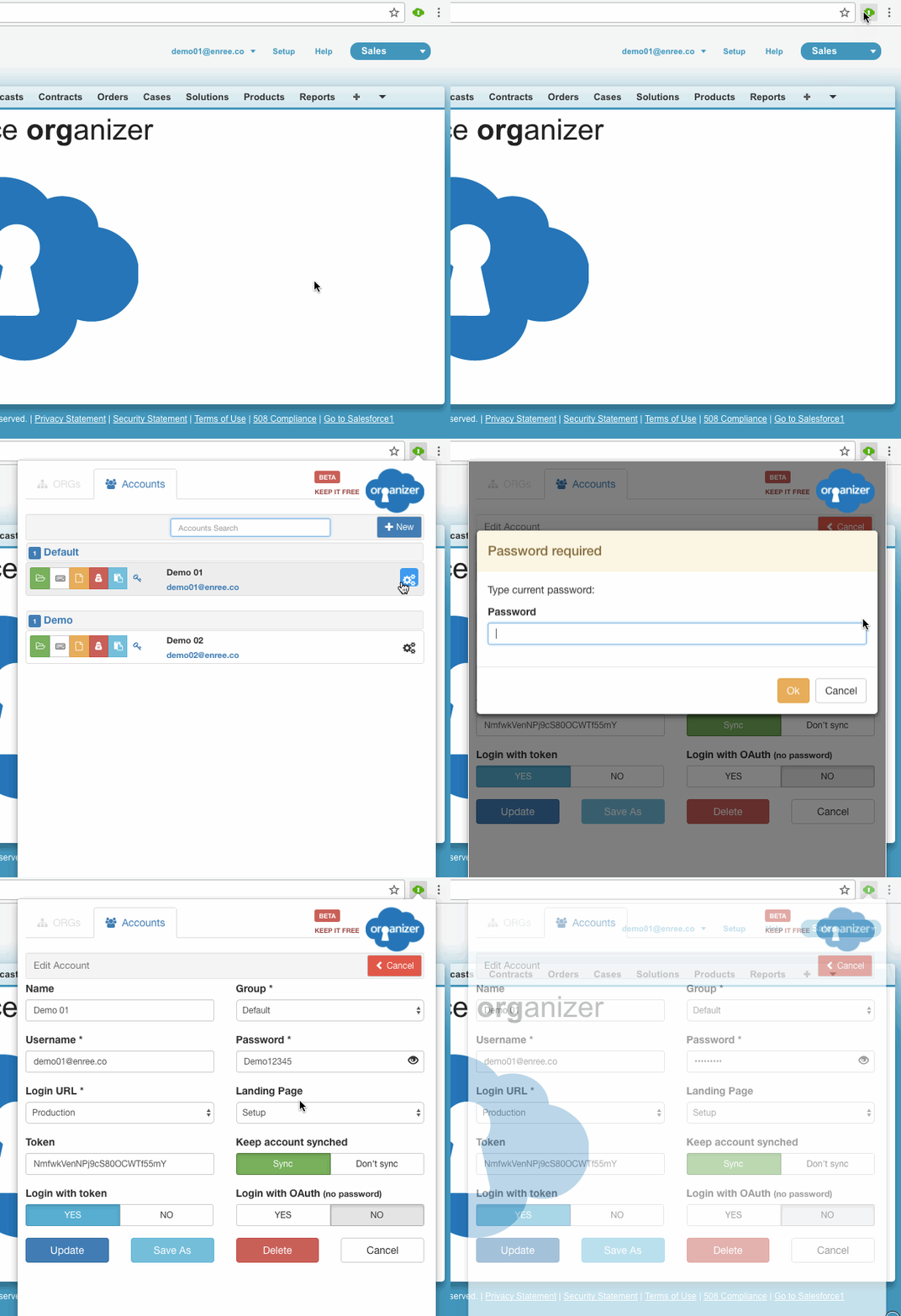
- Show password in clear when editing ORGanizer accounts
Requested by you
Popup page
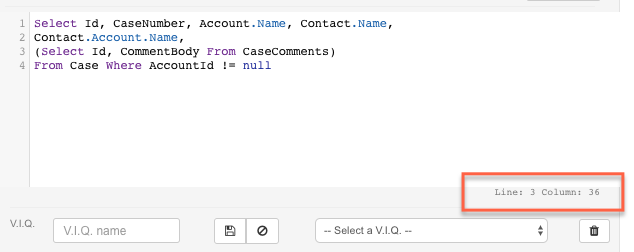
- Show line and column number of Quick Query, Execute Anonymous and Enhanced Formula Editor plugins
Requested by you
Plugins;Plugins - Quick Console;Plugins - Enhanced Formula
- Drag Quick Console with footer
Requested by you
Plugins;Plugins - Quick Console

- Resize editor's textarea in Quick Query, Execute anonymous and Enhanced Formula Editor plugins
Requested by you
Plugins;Plugins - Quick Console;Plugins - Enhanced Formula
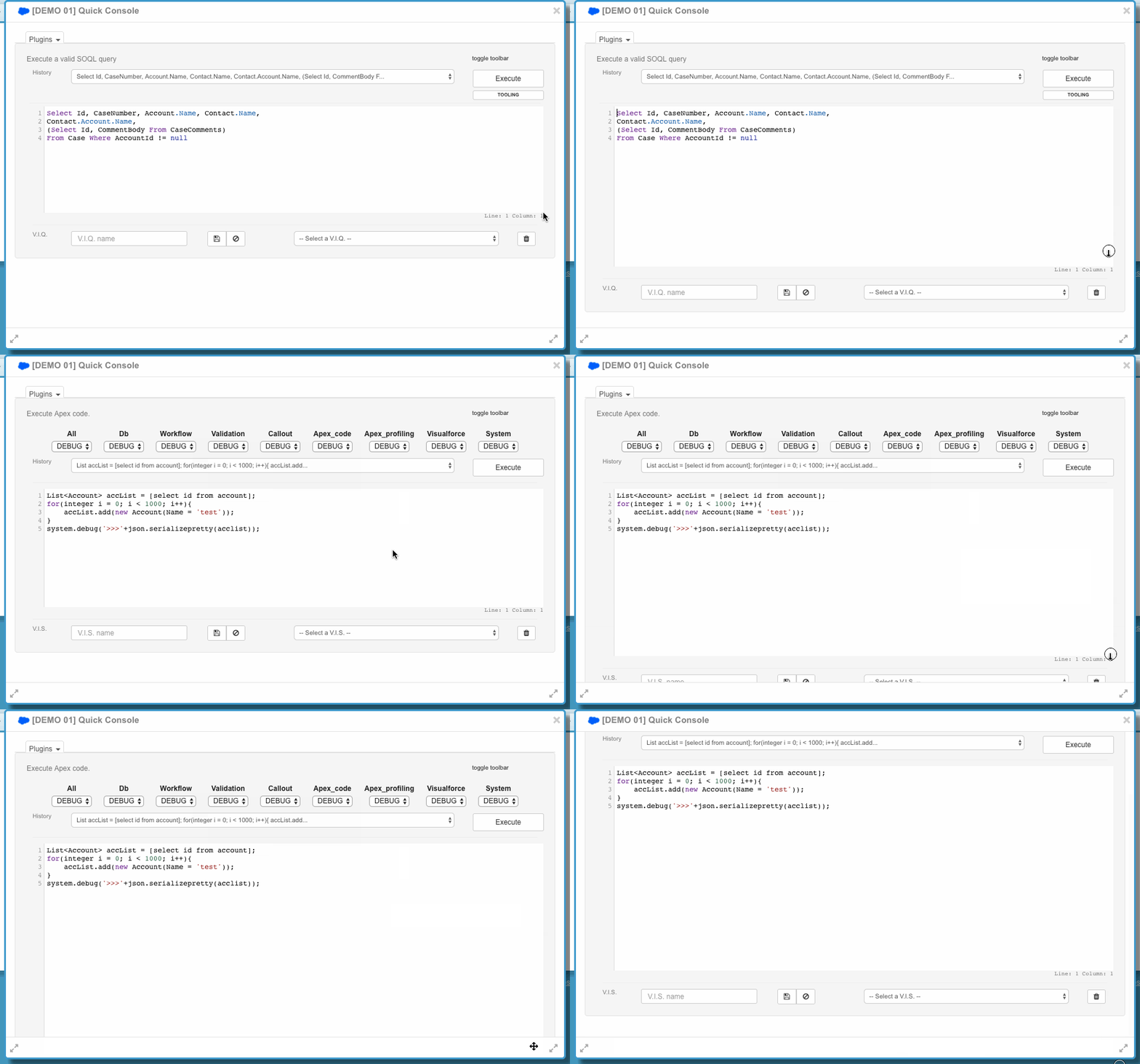
- Make lookup field clickable on query results
Requested by you
Plugins;Plugins - Quick Console;Plugins - Quick Query

- Download child query result in JSON / CSV format (previously you could only download the main query results)
Plugins;Plugins - Quick Console;Plugins - Quick Query
- Increased maximum ORGanizer accounts cap from 80 to 150 and the ORGanizer sync accounts from 60 to 100
Data storage
- If password contains the "&" character, login with token used to fail
Requested by you
Popup page
- Child queries result now shows correctly all results (previously was limited to 10)
Requested by you
Plugins;Plugins - Quick Query
VERSION 0.5.5
2017-03-31
- SOQL autocomplete support (with dynamic describes) on Quick Query plugin
Requested by you
Plugins;Plugins - Quick Console;Plugins - Quick Query

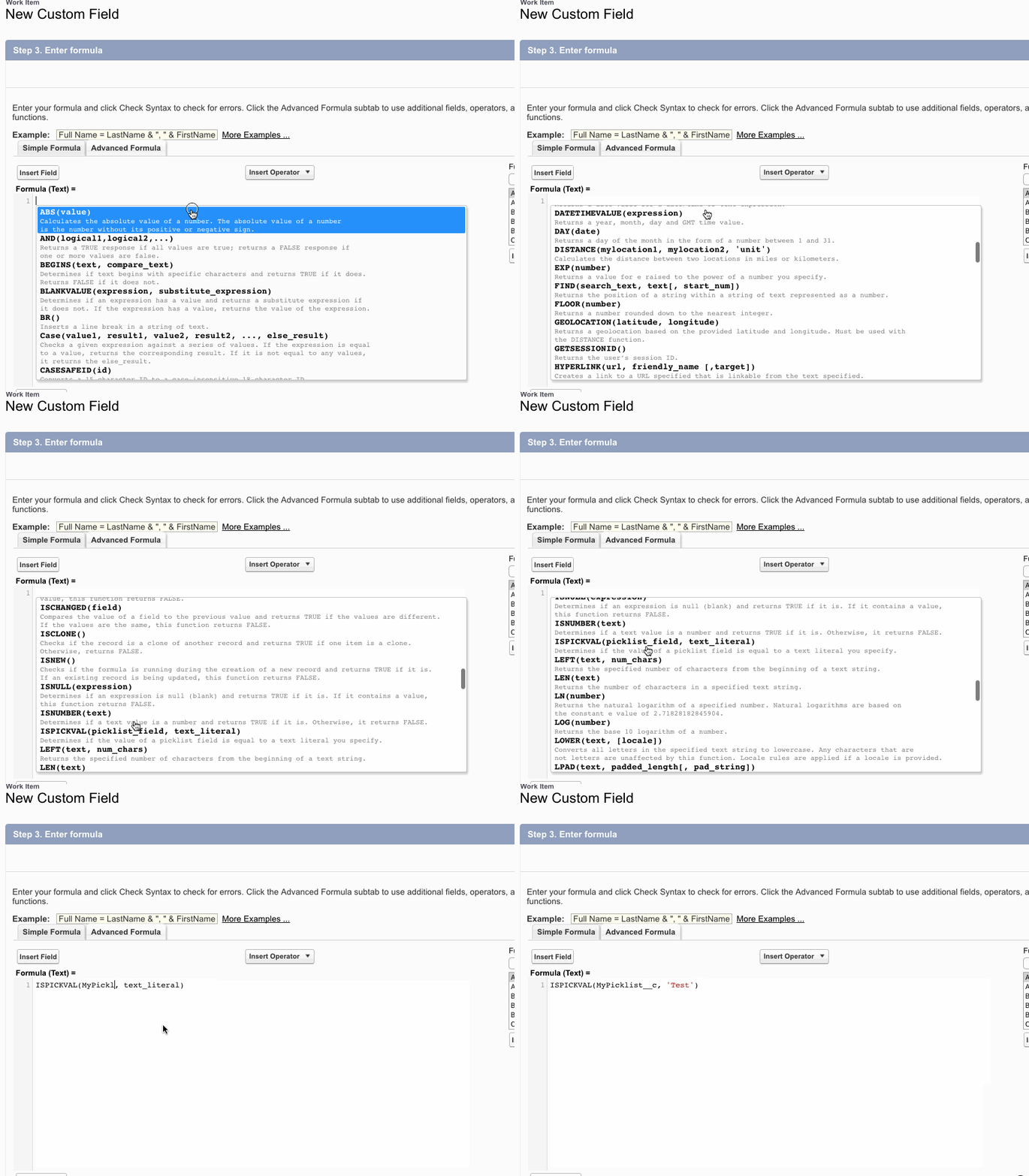
- Formula autocomplete support (with standard function helper)
Requested by you
Plugins;Plugins - Enhanced Formula
- New
@historyQuicklink command to add a list of temporary org links (stack of 20 items).
Add a new history link by using te@add optional_item_namesubcommand Requested by youPlugins;Plugins - Quicklinks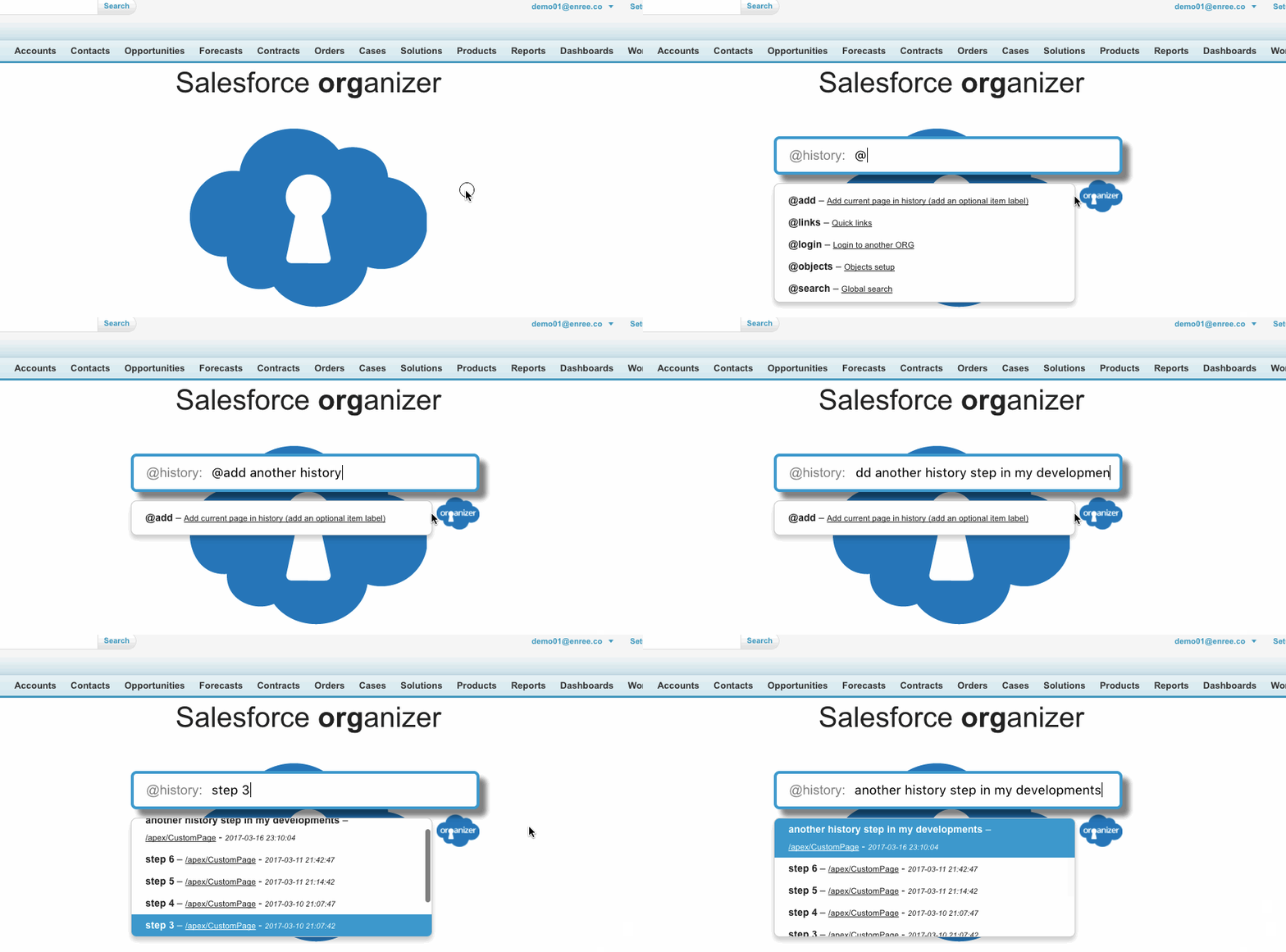
- Tooling API support for Quick Query plugin
Requested by you
Plugins - Quick Query
- Automatic (
Ctrl + I) code indent for Enhanced Formula and Execute anonymous plugins Requested by youPlugins;Plugins - Quick Console;Plugins - Quick Query;Plugins - Execute Anonymout;Plugins - Enhanced Formula
- The ORGanizer button can be placed on the bottom left corner or in the upperleft side
Requested by you
Plugins

- Added support for the "Limits REST API" call in the "Home" Quick Console plugin
Plugins;Plugins - Quick Console;Plugins - Home
- Create a new quicklink item on the fly using the
@add mandatory_item_namesubcommand within the@linkscommand Requested by youPlugins;Plugins - Quicklinks
#wildcard to open a quick link on another tab can be put at the beginning or at the end of the searched item Requested by youPlugins;Plugins - Quicklinks
- Added namespace prefix on
@objectsquick link featurePlugins;Plugins - Quicklinks
- Changed the sort algorithm for quick links search (first labels then urls)
Requested by you
Plugins;Plugins - Quicklinks
- Several plugins UI fixes
Plugins
Version 0.5.0
2017-03-02
-
Login with OAuth: you can authorize the ORGanizer
to log into an ORG without storing any password.
The authorization token is encrypted and stored locally, no remote sync is in place.
You need to authorize every laptop in which you use ORGanizer. Asked by users -
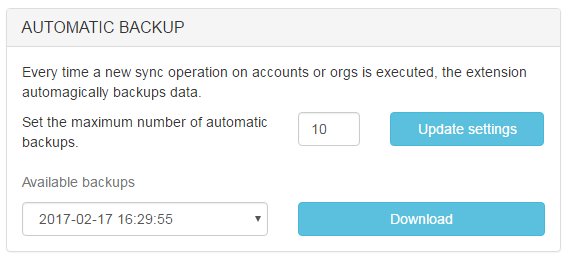
Automatic accounts and ORGs backup: from Options page set the maximum number of automatic backups (default 10) and download them from the select list.
A backup is created everytime you change an Account or ORG configuration.
Every backup is only locale (this means you have a different bunch of backups for every Chrome browser).
-
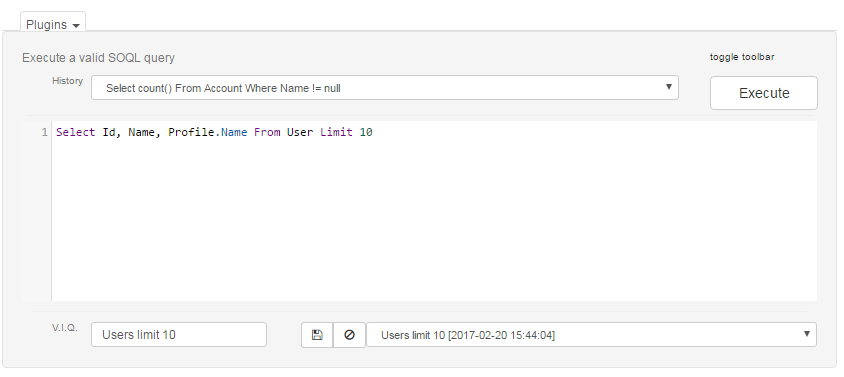
Quick Query plugin: save named queries using the Very Important Queries interface.
Asked by users
-
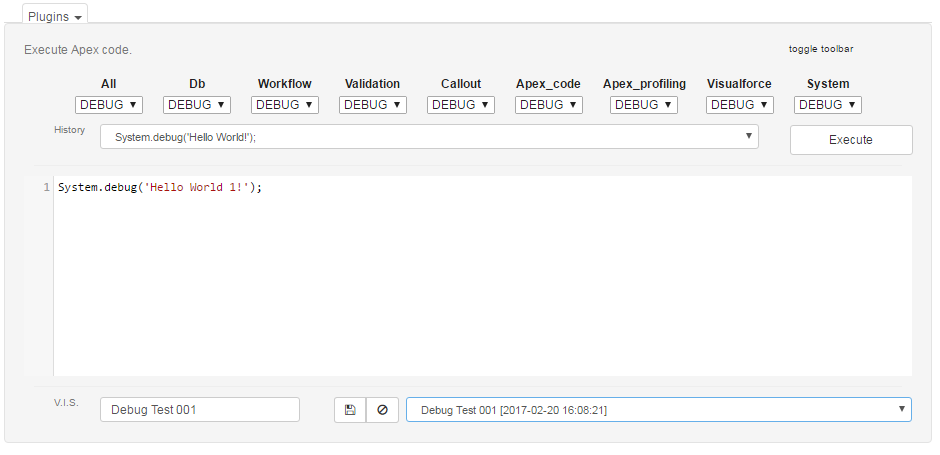
Execute Anonymous plugin: save named scripts using the Very Important Scripts interface.
Asked by users
-
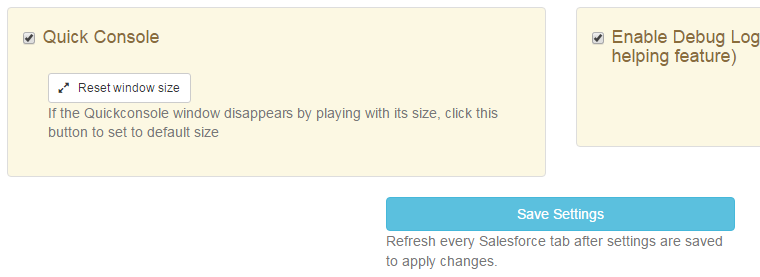
Quick console plugin: if you loose your Quick Console window (by playing with window size) you can reset to default size in the Options page. Asked by users
Version 0.4.2
2017-02-11
-
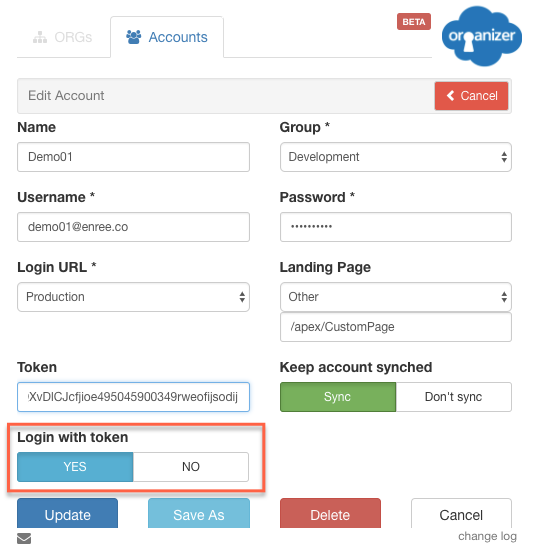
Login with Security token. Asked by users
-
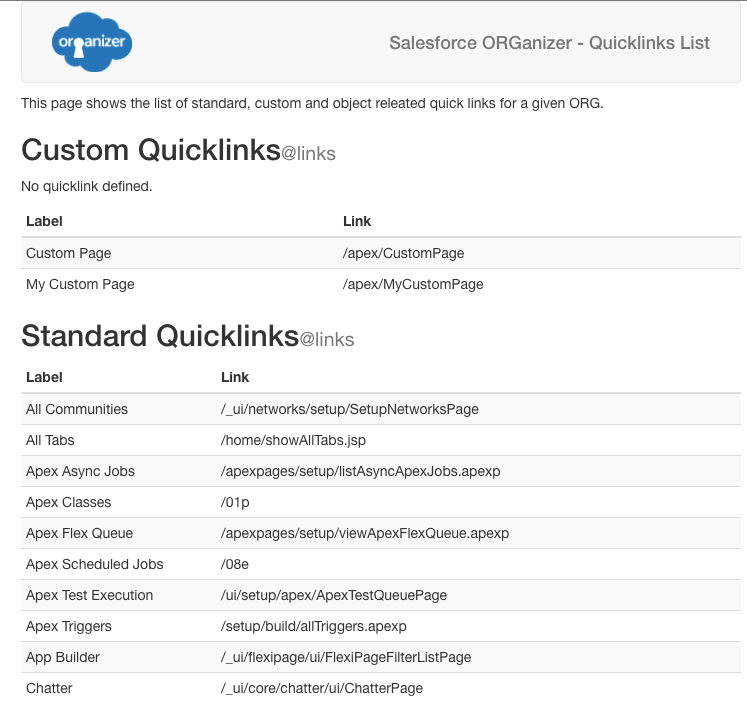
Qucklinks: get the list of all available standard / custom / object quick links (type @help). Asked by users
- Various UI enhancements.
- Popup closes correctly after incognito mode window opens.
Version 0.4.1
2017-01-31
-
Main remote password encryption enhanced.
To use the new settings, go to the Options page, scroll down to the Encryption section, then Disable and Enable encryption again typing your main password.
We are using a more secure algorithm to store the remote password.
-
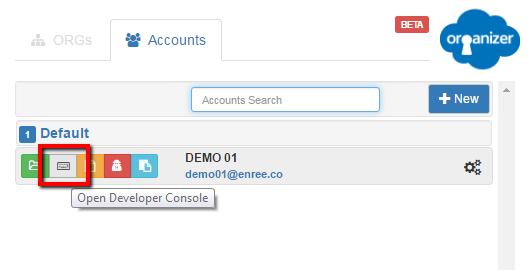
Login directly into the Developer Console with a brand new popup action Asked by users
-
Convert Salesforce ID plugin: no need to click on the Convert button. On first load, if there is a Salesforce ID copied in memory, the plugin converts it automatically. Asked by users
-
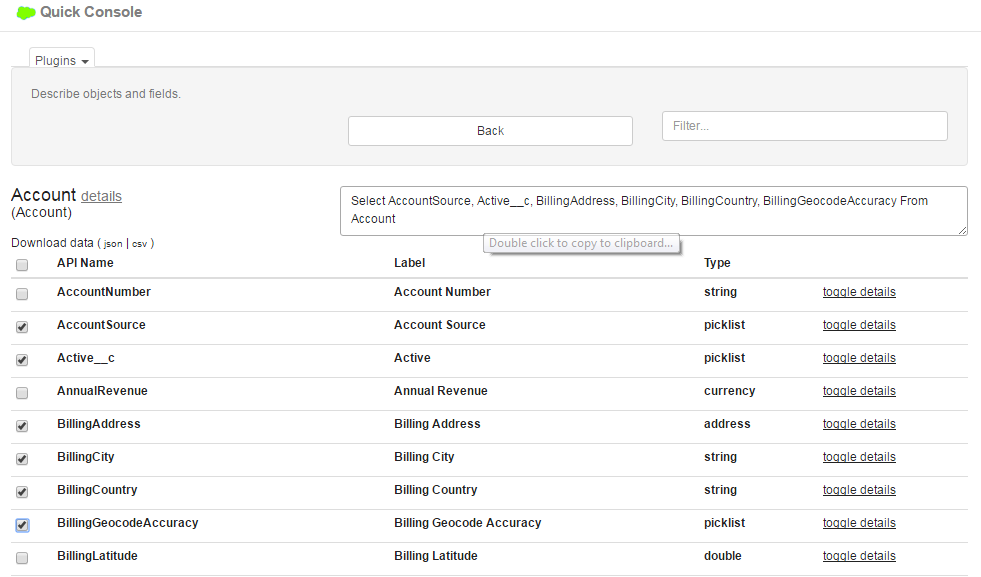
Quick ORG Describe plugin: select the fields and watch the query building up in the upper text area. Double click to copy into memory. Asked by users
-
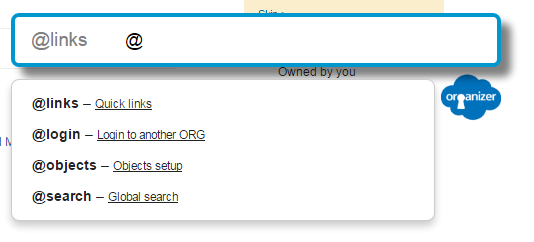
Quicklink: the plugin now divide links into categories; type @ to see all categories (or commands) Asked by users:
- @links: standard and custom quick links (type # to open links into another tab)
- @login: login to another ORG (type # to open links into another tab)
- @objects: search through standard and custom objects (e.g. Case: fields, type # to open links into another tab)
- @search: global search in your ORG (type # to open links into another tab)
- Solved JS collision with http://trailhead.salesforce.com
Version 0.4.0
2016-12-30
- Quicklink: added new standard shortcuts: Inbound/Outbound changesets, Installed Packages, Apex Classes/Triggers, Visualforce pages/components, Lightning components. Asked by users
-
Quick Query plugin: now you can download results in CSV. Asked by users
History now shows all the query's content on mouse hoveing. - SObject fields plugin: now you can download object data in JSON and CSV. Asked by users
- Quick ORG Describe plugin: now you can download field describe in JSON and CSV. Asked by users
-
Execute anonymous plugin: now you can set all the debug level at once with the "All" picklist.
History now shows all the script's content on mouse hoveing.
- Code rewritten to support Bootstrap conflicts.
- Debug log on Execute anonymous plugin now shows only 10,000 characters and "..." link do download full log.
- Various UI enhancements on Quick Console.
Version 0.3.3
2016-12-18
- Replace API Names plugin now works on Outbound Change Set editing page, Field Sets editing page and Page Layout editor. Asked by users
- Replace API Names now can be triggered directly without opening the Quick Console by hitting [CTRL/CMD + ALT + 6] Asked by users
- Quick links: allow for standard/custom object setup page search (e.g. Field list, layouts page, ...)Asked by users
- Magic button shows items short cuts on mouse hovering
- Sobject fields plugin now shows correctly also readonly fields.
Version 0.3.2.3
2016-11-11
- Minor enhancements and bug fixes.
Version 0.3.2
2016-10-31
- Quick Console displays the ORG tab icon/title on its title bar to ease ORG recognition Asked by users
- Added custom sorting on Account's group on the popup: drag & drop Account groups up and down to create your custom order Asked by users
- Query and Execute anonymous plugins' history select list now longer need a submit button to load entries on the main textarea Asked by users
- Fix on plugins UI
Version 0.3.1
2016-09-30
-
New support site online: send ideas, suggestions and bugs directly from the main site.
Click here to open the Support Page. - Now you can set up the tab size property on the Formula Enhanced Editor: this way you decide how many spaces a tab is composed on (defaults to 4). Click on the Options page to change de fault value.
- The organizer button has been removed from the Developer Console page.
Version 0.3.0
2016-09-25
We are finally on live Beta!
For more information about who built it and who helped me bringing it live go to organizer.enree.co.
Head over the FAQ page to see all the awesome features we have built!